CAO Login – Step-by-Step Guide to Access Your Account
The Central Applications Office (CAO) is South Africa’s leading centralized platform for higher education applications. Through a single login at www.cao.ac.za, students can apply to multiple universities and colleges, track their application status, upload documents, and manage everything in one place.
This guide covers everything you need to know about CAO login, from how to access your account to resetting your password and fixing common login issues.
What is CAO login?
CAO Login is the process of signing in to the official online portal of the Central Applications Office (CAO) of South Africa, available at www.cao.ac.za.
Through this login, students can access their personal CAO account to:
- Receive important notifications and deadlines
- Submit and manage university/college applications
- Check their application status in real time
- Upload required documents (ID, Matric certificate, etc.)
- Update personal details and contact information
- Change programme or institution choices
What Do You Need to Log In?
Before logging in, make sure you have the following ready:
Required Credentials
- CAO Number
- ID Number
- Registered cellphone number OR registered email address
- Password (set during registration)
For Document Uploads, Also Prepare
- Documents saved on your computer or USB/flash drive
- Files in PDF or clear image format
- Documents properly named for easy identification
How to Complete CAO Login—Step-by-Step
Follow these simple steps to log into your CAO account:
Step 1: Visit the Official CAO Website Open your browser and go to www.cao.ac.za.
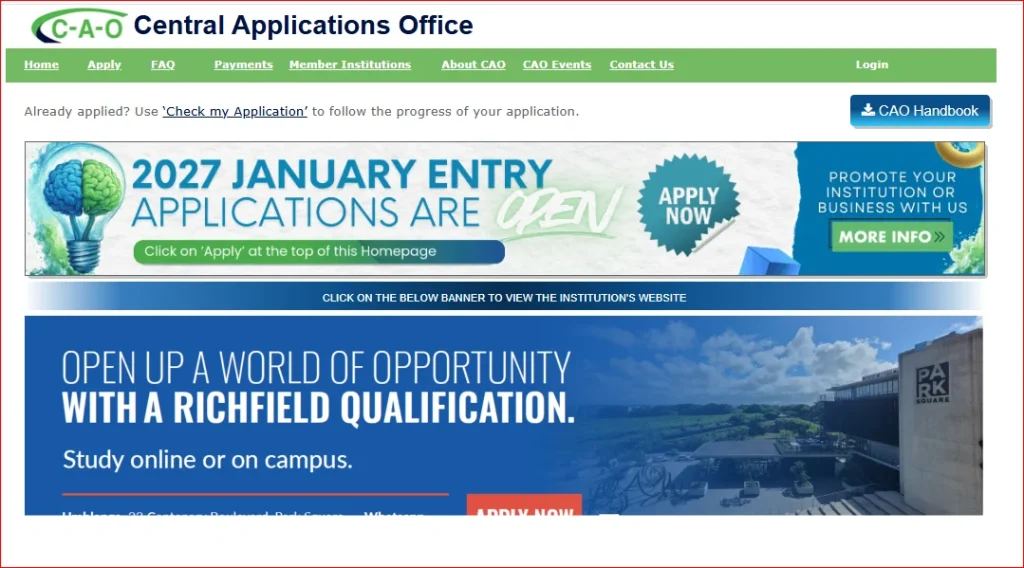
Step 2: Choose Your Login Option On the homepage, select the option that matches your need:
- Upload My Documents
- Check My Application
- Change of Mind
- Update My Details
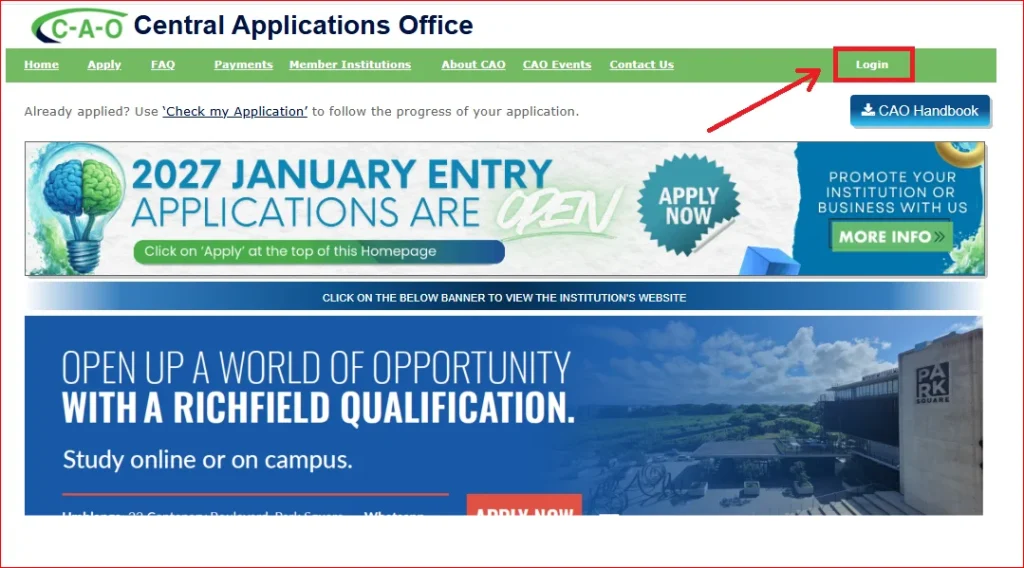
Step 3: Confirm You Have Your Credentials If you already have your CAO number and password, click the “Yes” button to proceed.
Step 4: Enter Your CAO Number and Password. Type your CAO number and password into the fields provided.
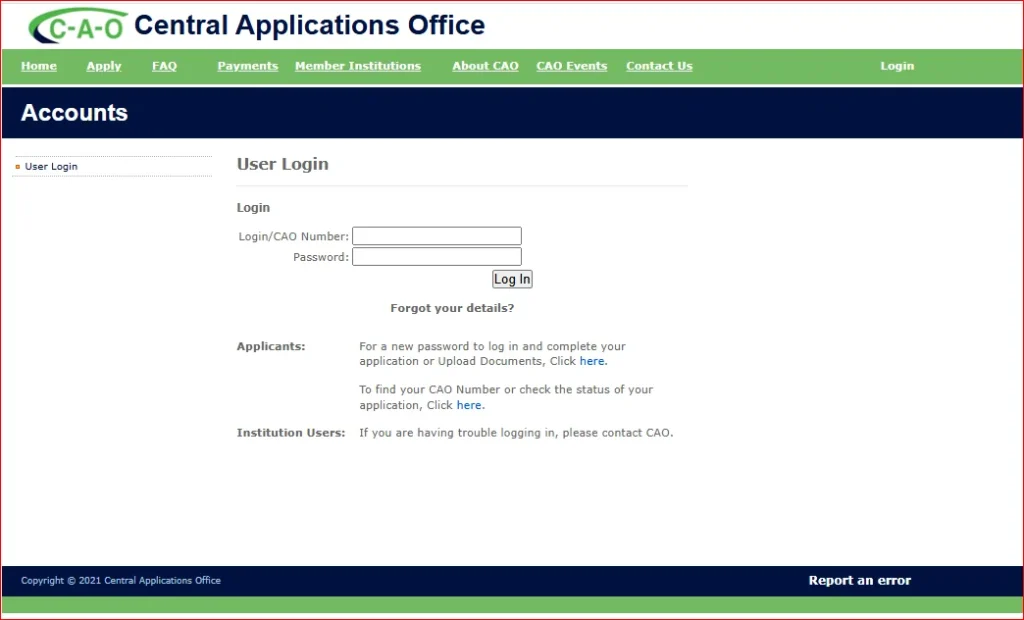
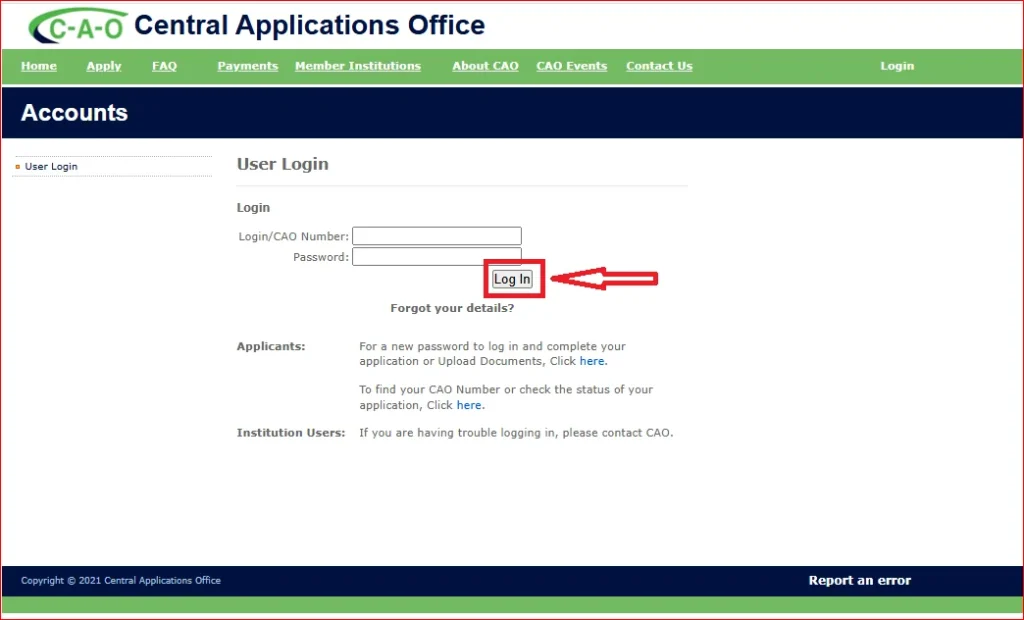
Step 5: Click the login button. Click the Login button to access your account.
Step 6: Access Your Dashboard After a successful login, your dashboard will appear where you can add or remove applications, view your application status, and manage all your application-related activities.
How to Reset Your CAO Login Password
If you have forgotten your password, follow these steps to reset it:
- Go to www.cao.ac.za
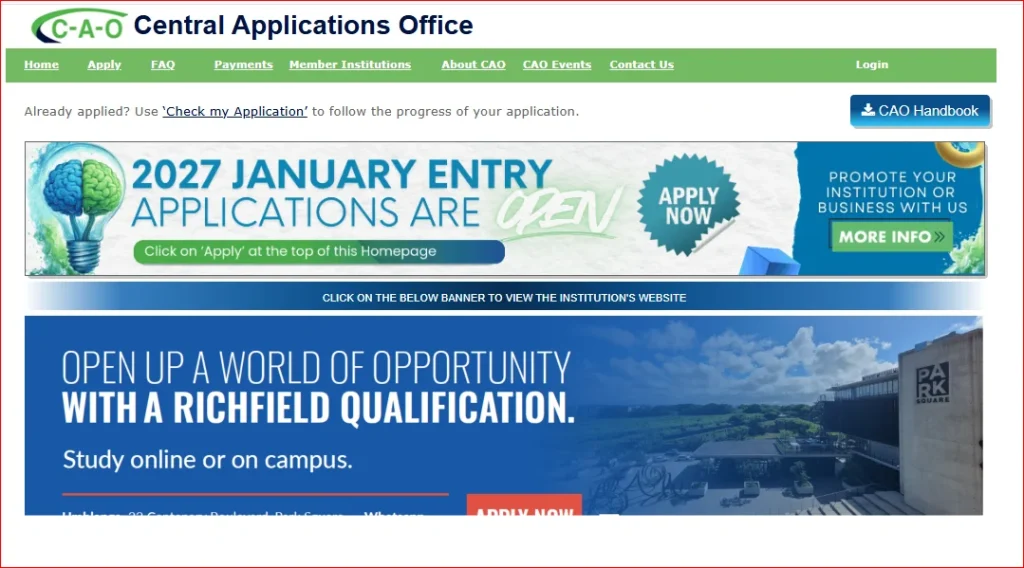
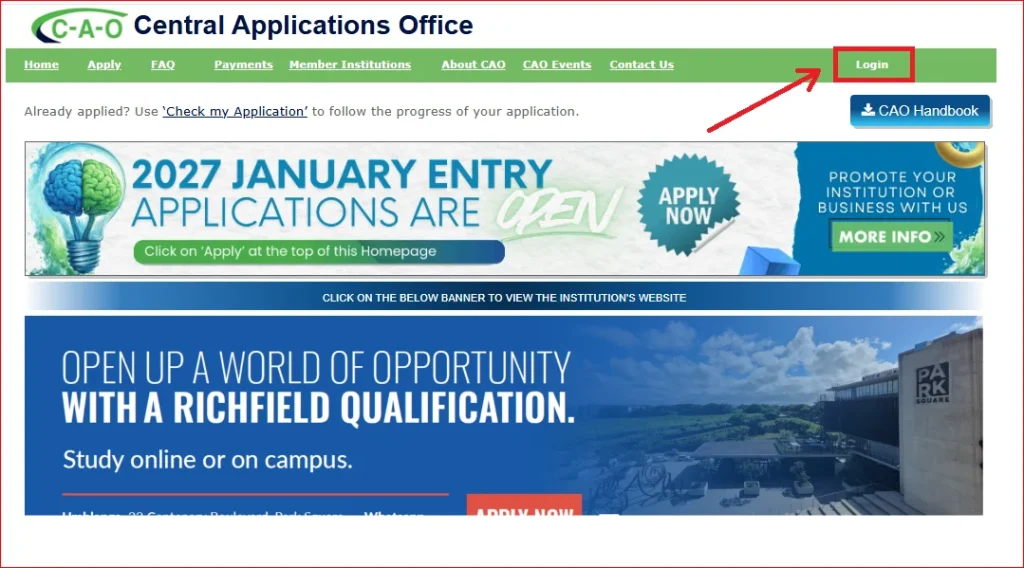
- Click on the Login option for your required section
- Select “Forgot Password Detail.”
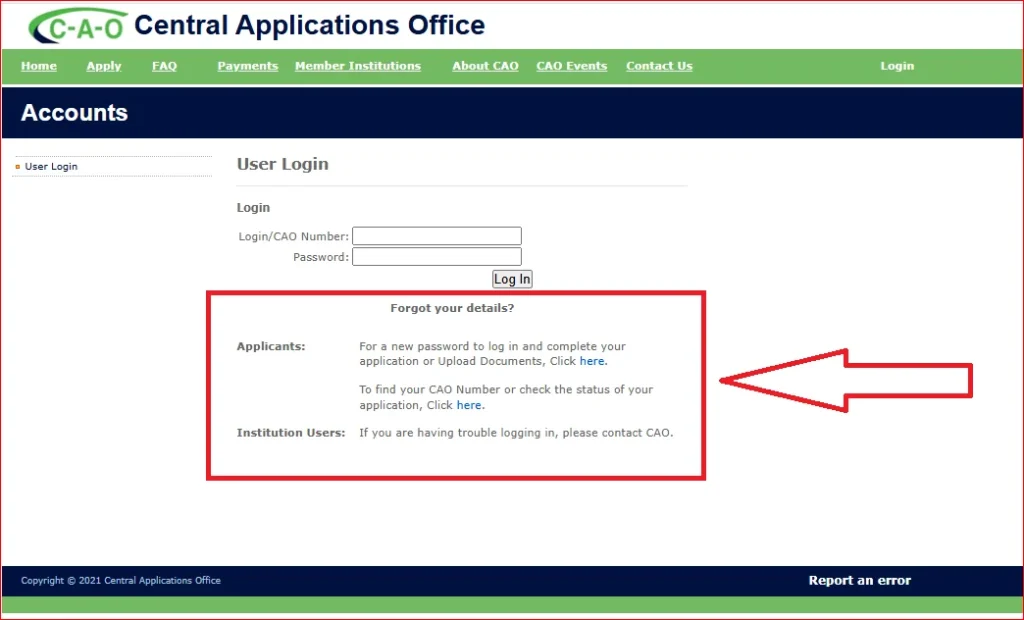
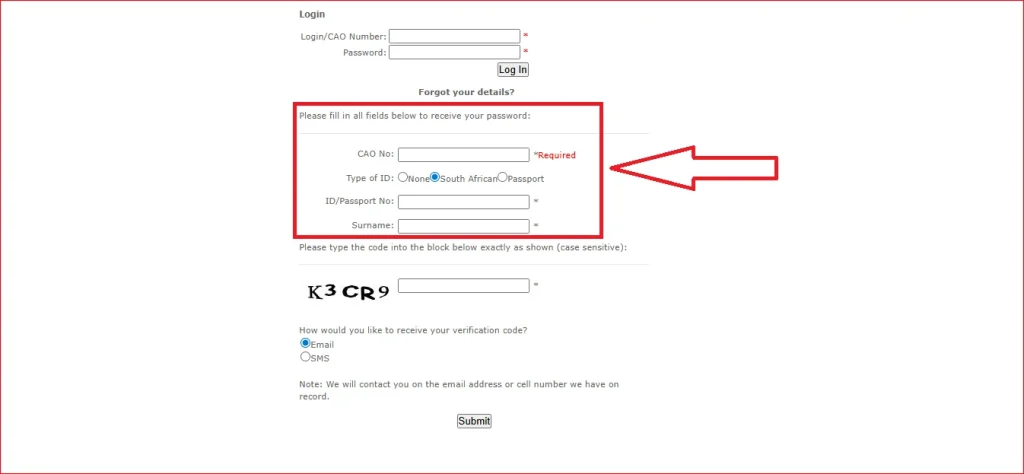
- Follow the instructions to create a new password
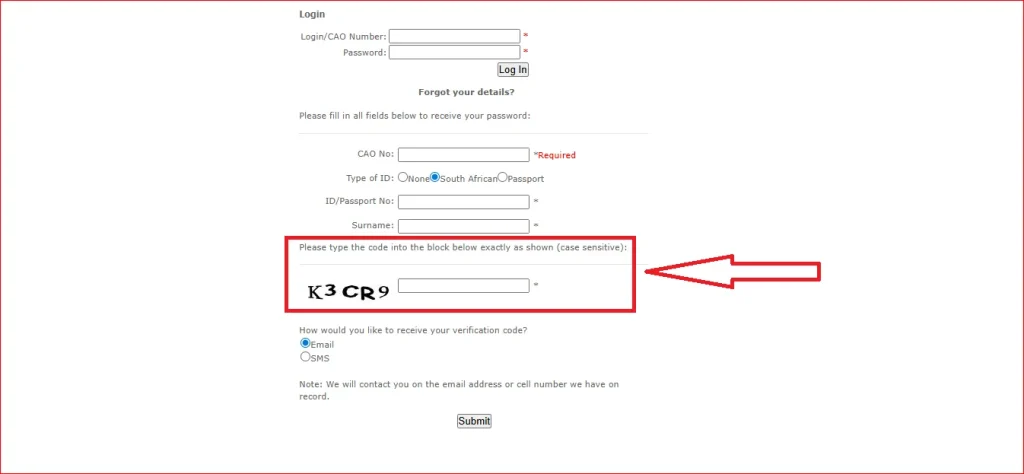
- Enter the “captcha” code.
- Enter your registered email address or cellphone number
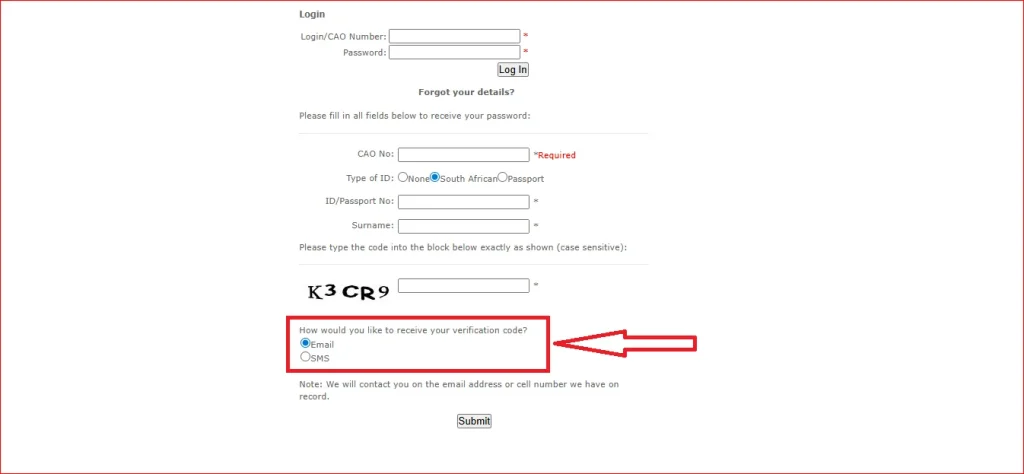
- Click on the “Submit” button.
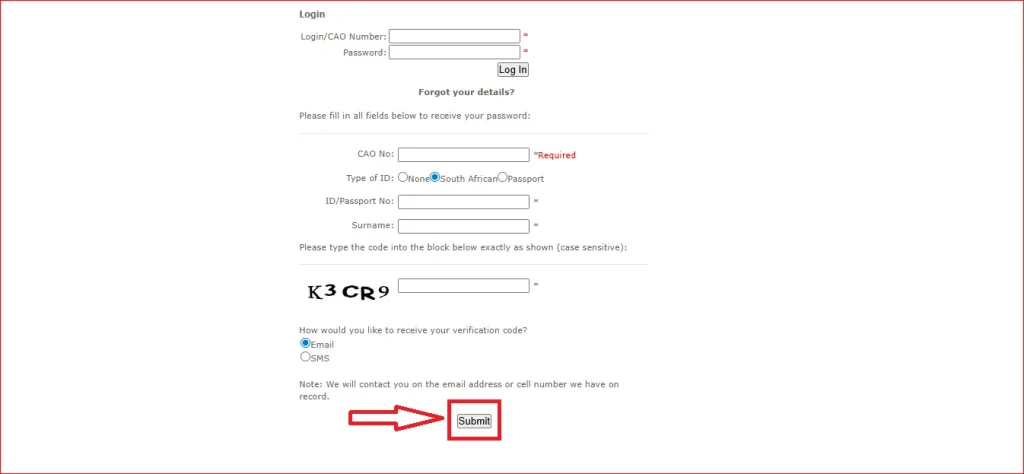
- Receive a reset link or OTP on your device
- Log in using your new password
Applicants who need a new password to log in and complete their application or upload documents should use the login portal link available on the official CAO website.
Key Features of the CAO Portal
When you log in to the CAO portal, you gain access to full details, including CAO courses, handbook entry, admission letters, prospectus, program durations, application dates, and registration dates.
Here is a complete overview of all portal features:
| Feature | Description |
|---|---|
| Track Application Status | Monitor your application progress in real time |
| Upload Documents | Submit the matric certificate, ID copy, and other files online |
| Update Personal Details | Edit your contact info and personal information |
| Change of Mind (COM) | Update your programme or institution choices |
| Apply to Multiple Institutions | Apply to up to 6 programmes from one account |
| Receive Notifications | Get updates on deadlines and institution responses |
| Download Handbook | Access the CAO Handbook for your entry year |
| Available Programmes | Browse all 1,070+ programmes across member institutions |
CAO Login Troubleshooting Tips
Having trouble logging in? Try these solutions:
| Problem | Solution |
|---|---|
| Wrong credentials | Double-check your CAO Number and password carefully |
| Browser issues | Clear cache and cookies, or try a different browser |
| Page not loading | Check your internet connection for stability |
| VPN blocking access | Disable VPN or proxy and try again |
| Account locked | Contact CAO support at (031) 268 4444 |
| Password forgotten | Use the “Forgot Password” option on the login page |
If you are still unable to log in after trying all the above steps, contact the CAO support team directly for further assistance.
Key Facts at a Glance
| Detail | Information |
|---|---|
| Full Name | Central Applications Office |
| Type | Non-Profit Company |
| Registration No. | 2007/002819/08 |
| Official Website | www.cao.ac.za |
| Phone Number | (031) 268-4444 |
| Total Programmes | 1,070+ |
| Max Applications | 6 Programmes per Application |
| Established | 1998 |
CAO Official Website and Login Portal
| Portal | Link |
|---|---|
| Official Website | www.cao.ac.za |
| Login Portal | cao.ac.za/login.aspx |
| Check My Application | www.cao.ac.za/myapplicationlogin.aspx |
| Payments | www.cao.ac.za/Payments.aspx |
| Contact CAO | www.cao.ac.za/ContactCAO.aspx |
The CAO Login Portal can be accessed 24 hours a day from any location with an internet connection, using a desktop computer, laptop, notebook, tablet, or even a smartphone.
FAQs About CAO Login
Conclusion
The CAO Login Portal simplifies the higher education application process in South Africa by allowing students to apply, track applications, upload documents, and manage their profiles from one platform. By understanding the login process and available features, applicants can complete their university applications efficiently and stay informed throughout admission.